 OrdenZ
Make room for the morning rush
Take counter orders, offer self-ordering on a kiosk and keep preparation tickets together in the kitchen.
Follow an order →Cafe POS, kiosk and kitchen — connected. Take orders, organise preparation and understand your sales in one workspace. Kiosk screens in eight languages.
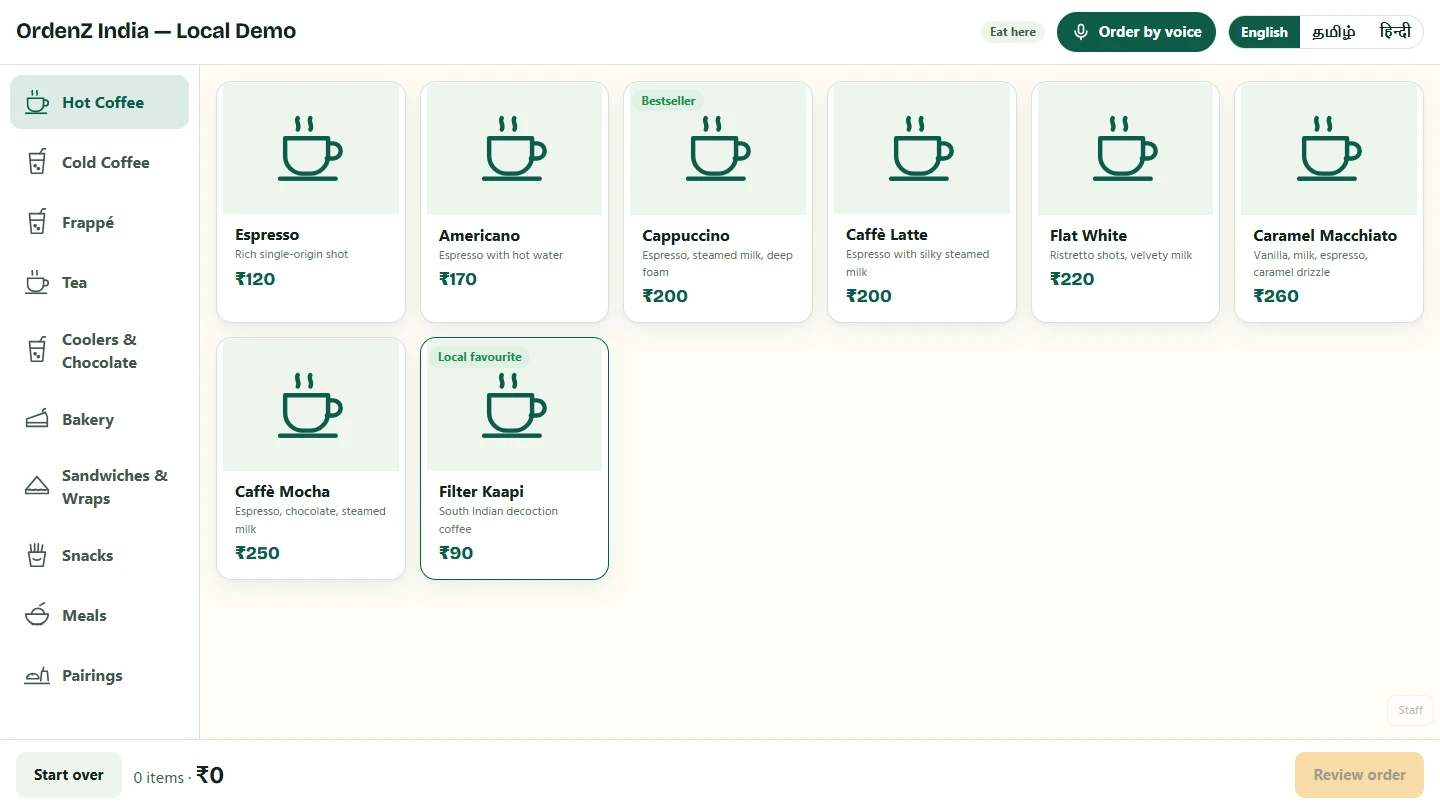
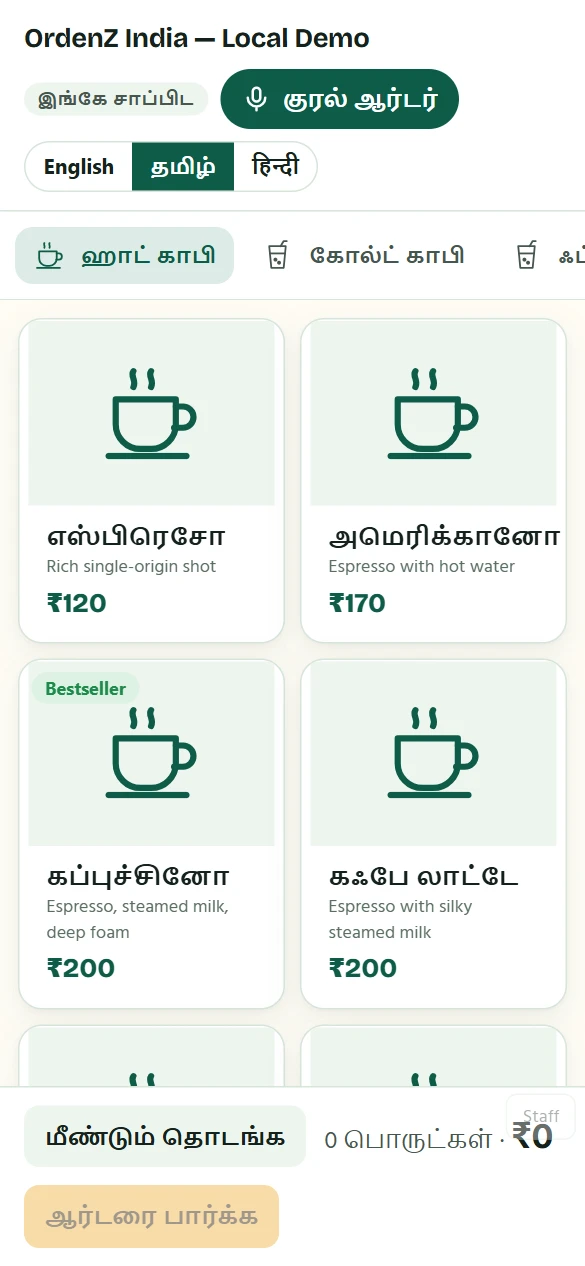
Start with the jobs your team does every day. Add more as your cafe grows.
Take counter orders, offer self-ordering on a kiosk and keep preparation tickets together in the kitchen.
Follow an order →Move tickets from new to preparing to ready. Use a token display so customers know when to collect.
Explore the demo options →Track event orders, ingredient requirements, advances and balances. Give each team member access for their role.
Explore the modules →See how the counter, kitchen and owner work together before you choose a plan.
Staff use the counter or customers choose from your kiosk menu, with options and clear prices.
The kitchen updates each ticket. Ready orders appear on the token screen for collection.
Check sales, popular items, stock and recipe costs to decide what needs attention next.
Use this checklist to plan a pilot before switching your cafe over.
Choose India or Malaysia, add your menu by Excel or manually, and review prices, taxes and language settings. AI photo import needs a configured provider and a review of the results.
Run a sample order through the counter, kitchen and token display. Check your actual Android device, printer and connectivity before serving customers.
Compare the plan, payment setup and any hardware, messaging or AI costs. Ask about migration, training and support scope before committing.
Use a compatible Android tablet and an optional thermal printer. Check your device and printer model during the pilot before buying hardware.
Offer kiosk screens in eight languages, including Tamil and Bahasa Melayu. Add and review your menu translations; voice availability depends on the device and service setup.
Compare Free, Starter and Pro with monthly and yearly totals. India has app list prices; Malaysia pilot prices require a final quote.
On eligible plans, a previously loaded counter can save bills offline and sync after reconnection. Online payments and live kitchen updates still need a connection.
Customers can order without joining loyalty. Read what data we handle and how account deletion works in the privacy policy.
Use the illustrated guide or email your setup questions. Agree training, response expectations and ongoing support as part of your pilot.
Tell us your country, cafe type, number of devices and current billing setup. We can discuss which workflow to test and what needs configuring.